Showing posts with label CUSTOM ROMS. Show all posts

Miui 9 v7. 9.21 for infinix hot note pro


For hot note users who wants to feel the lightening fast miui 9 on their devices, this rom is specially for you!

Prerequisite

Knowledge of flashing roms
Twrp/philz recovery
Rom
Google installer

How to flash

  • Boot into recovery 
  • Wipe system, cache, data and dalvik cache
  • Install zip[ROM]
  • Reboot
  • Install google installer app[To make network stable]
  • Choose 3G in cellular networks
  • Disable automatic preferred network and refresh 


Screenshots of rom


Download links
Miui 9 v7.9.21
Google installer
How to use Google installer

ROM CREDITS
MATTHEW for Porting

ViperOS[Official] rom for Redmi note 4x(mido)


When talking about custom roms, you definitely mention viperOS, its a fluid and fast rom with little or no bugs, and this can be used as a daily driver on your Redmi Note 4X(mido)

Features of ViperOS :
Status bar Customization

- Customizable icons
- Quick pulldown
- Smart pulldown
- Notification count
- Clock position
- Seconds in clock
- Date design

Quick Settings

- Brightness slider
- Brightness icon
- Tile tap customization
- Header customization

System

- Power menu customization


Before flashing this rom on your device, carefully make sure the following Requirements are met!

Requirements

Bootloader must be Unlocked
Twrp Required
Gapps Required
Magisk zip installer required

links will be provided at the end of this post

How To Flash ViperOS


Download the latest build of ViperOS ROM
- Take a nandroid backup
- Flash ROM using twrp recovery
- Flash 7.1 Gapps(Arm64) nano
-Flash Magisk zip
- Wipe dalvik cache/art
- Reboot
First boot takes about 4mins.


                     ViperOS For Mido
                              Gapps
                       Magisk Installer
                     Magisk uninstaller

CyanogenMod12.1 Custom Rom For TECNO Boom J8

I will be Introducing to you guys a CM12.1 bugless custom ROM for TECNO Boom J8, this custom ROM is just so beautiful, smooth and stable too.


Disclaimer; this site and its developers are not responsible if you should brick your device in the process of flashing this custom ROM, ensure you are conversant with flashing of custom ROMs  and also using SP flash tool before you carry out this process.


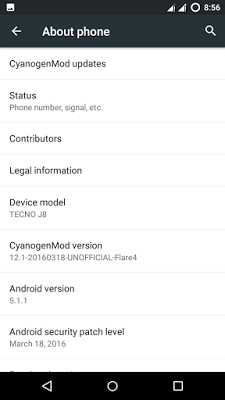
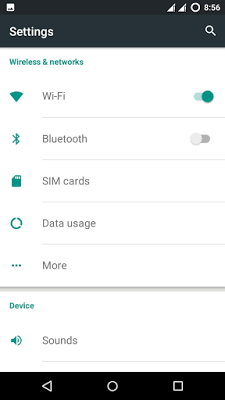
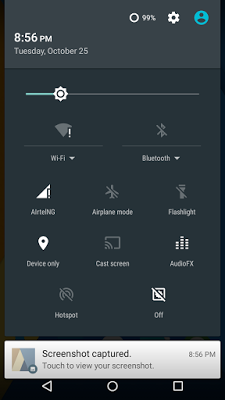
Screenshots from CyanogenMod custom ROM on Tecno Boom J8
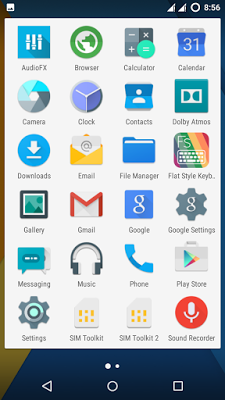


Features of CyanogenMod custom ROM on TECNO Boom J8

-pre-installed themes
-pre-installed fonts
-ability to freeze apps you don't use
-data
-Gapps fully supported
-USB OTG working
-ril
-WiFi Hotspot
-and lots more...

Requirements

-Download Gapps (only download and flash this if playstore does not work for you)

-Download ROM

How to flash CyanogenMod12.1 custom ROM on TECNO boom J8

-Before we begin make sure you have TWRP installed on yourTECNO boom J8, after which you then proceed to download the ROM provided in the link below.

-After which, move the downloaded files to the root of  your SD card (by root of SD card, we mean in no folder at all)

-Then turn off your device and boot it into recovery mode. by pressing and holding power button + volume up simultaneously for 5secs.

-Once in recovery mode, wipe then swipe to wipe only

-After which you go back to the recovery main menu and click "Install", now navigate through your SD card to locate the the ROM, once seen you then swipe to begin installation.

-Once you are done flashing, once done, go back to the recovery menu and click on reboot, first reboot takes up to 8mins.

Congratulations! you have successfully flashed CyanogenMod12.1 custom ROM to your TECNO boom J8.

ROM credits; enoch273
enochtekNG 

TECNO HIOS CUSTOM ROM FOR INFINIX HOT 4


If you want to get the tecno feel on your Infinix Hot 4. Then you have got to try this out. Testing has been completed and this Rom can be used as a daily driver!

What's working
Ril
Data
Smart wake
Dual sim switch
Vpn
Etc

Bugs
fingerprint
Front flash

Rom features
Crystal clear camera. Better than stock
Responsive UI
Super audio sound
Root access
No lags
And much more

How to flash
You need twrp recovery to flash this rom
Click HERE for hot 4 TWRP

Then do the following
DOWNLOAD ROM
COPY TO SD CARD ROOT
BOOT INTO TWRP RECOVERY using POWER AND VOLUME + COMBO KEYS
WIPE SYSTEM, DATA ,CACHE AND DALVIK
INSTALL ZIP
CHOOSE ROM and Swipe to INSTALL 
Reboot Device when done
First boot takes 7-10minutes

Credits
RAJ
ZTE MiFavor UI ROM For Infinix Hot S

ZTE MiFavor UI ROM For Infinix Hot S

14390974_10208644317803807_2730082561178433336_n14358831_10208644316043763_5777509764054039182_n14333626_10208644318523825_553362639235962503_n

NOTE: First Boot may take up to 10minutes

                             CLICK ME TO DOWNLOAD

How to Install
Boot into custom recovery
Navigate to wipe option
Wipe system,cache,data and dalvik cache
Navigate to Install zip option
Locate downloaded zip and Install
Reboot Device.

Kategori

Kategori